
Interactive Event Entertainment Technology: The Complete Guide Interactive Event Entertainment Technology: The Complete Guide
From AI photo booths to gamification platforms, discover the technology transforming how guests experience corporate events in 2026.
AI-Powered Guest Experiences
Category: Artificial Intelligence · Difficulty: beginner
AI Photo Booth with Generative Art
Modern AI photo booths use generative AI models to transform guest portraits into stunning artistic styles in under 15 seconds. Unlike simple filters, generative AI creates entirely new images — a guest's photo can become a Renaissance oil painting, an anime character, a cyberpunk portrait, or a custom brand-themed artistic interpretation. Each output is unique and impossible to replicate. The technology handles group shots, individual portraits, and even pets, producing high-resolution images ready for social media sharing and professional printing.
AI-Generated Event Recap Videos
AI video production tools can compile event footage in near-real-time, generating edited recap videos that are ready to share before guests leave the venue. Multiple cameras capture the evening's highlights, and AI software selects the best moments, applies transitions, syncs to music, and produces a polished 60-90 second video within minutes of the event's conclusion. Guests receive a shareable recap video on their phones before they reach the parking lot.
AI DJ and Music Curation
AI-powered music curation systems analyze the room's energy in real time — measuring dance floor density, crowd movement patterns, and social media sentiment — to adjust the playlist dynamically. When paired with a live DJ, these systems provide data-driven song recommendations that help the DJ make better decisions about what to play next. The result is a more responsive musical experience that adapts to your audience's actual behaviour rather than a pre-planned setlist.
AI-Powered Personalized Guest Greetings
AI systems can generate personalized welcome messages displayed on screens as guests arrive, using registration data to create customized greetings — referencing the guest's name, company, previous event attendance, or their role at the event. The technology can also generate personalized itineraries and recommendations based on guest profiles. It transforms the arrival experience from generic to individually tailored, making every guest feel recognized from the moment they walk in.
AI Caricature and Portrait Artist
AI-powered caricature stations create digital caricatures instantly from a guest photo, applying exaggerated artistic styles that are flattering and fun. Unlike human caricature artists who serve one guest every 5-7 minutes, AI stations can produce portraits for dozens of guests simultaneously with no queue. The output quality has reached a point where AI caricatures are often indistinguishable from hand-drawn versions, and guests can choose from multiple artistic styles.
Gamification & Interactive Platforms
Category: Gamification · Difficulty: intermediate
Live Polling and Audience Response Systems
Real-time polling platforms turn every keynote, panel, and presentation into a two-way conversation. Guests respond to questions via their smartphones, and results appear on screen instantly — word clouds, bar charts, sentiment meters, and live rankings. For corporate events, live polling increases audience attention by 37% compared to traditional presentations (EventMB research). The data also provides valuable post-event insights into audience preferences and opinions.
Digital Song Request and Voting Platform
A digital request platform lets guests browse a song catalogue, submit requests, and vote on other guests' picks — all from their smartphones. A live leaderboard shows the most-requested songs in real time, creating anticipation and friendly competition. When paired with a live band, the platform turns the setlist into a crowd-sourced, democratic experience. For corporate events, custom branding on the request interface reinforces your event identity throughout the musical experience.
Conference-Wide Gamification Platform
Gamification platforms transform an entire conference into an interactive experience. Attendees earn points for session attendance, networking interactions, exhibitor booth visits, social media posts, and quiz completions. A persistent leaderboard drives friendly competition throughout multi-day events. Top scorers win prizes at the closing ceremony. The platform data also provides organizers with granular analytics on attendee behaviour — which sessions drew the most engagement, which exhibitors generated the most traffic.
Team-Based Digital Challenges
Mobile-based team challenge platforms assign cross-functional teams and distribute collaborative tasks throughout an event — photo challenges, trivia rounds, scavenger hunts, and creative submissions. Teams earn points for completion speed, creativity, and participation rate. The platform handles team formation, task distribution, scoring, and leaderboard management automatically. For multi-day conferences, challenges can span the entire event with a final standings reveal at the closing session.
Interactive Game Show Technology
Modern game show technology transforms a professional host's performance with digital buzzer systems, projected scoreboards, countdown timers, and multimedia question formats (video clips, audio snippets, image puzzles). Teams compete using wireless buzzer pods or smartphone apps, and the scoring system handles complex round structures, bonus points, and tiebreakers automatically. The technology supports formats from intimate 20-person team dinners to 1,000+ attendee conference sessions.
Immersive Digital Experiences
Category: Immersive Technology · Difficulty: advanced
Projection Mapping and Spatial Computing
Projection mapping transforms physical surfaces — walls, ceilings, stage sets, tables, and architectural features — into dynamic digital canvases. In 2026, spatial computing integration means projections can respond to guest movement, touch, and proximity in real time. A mapped wall might ripple when a guest walks past, or a table surface might display personalized content when a guest sits down. Toronto venues with distinctive architecture, such as the Carlu, One King West, or the Design Exchange, are ideal canvases for immersive projection mapping.
Virtual Reality Group Experiences
Multi-user VR platforms allow groups of 4-8 guests to share a virtual environment simultaneously — exploring virtual worlds, completing collaborative challenges, or competing in immersive games. Unlike early VR which was isolating, current platforms let participants see and interact with each other's avatars in real time, making the experience genuinely social. For corporate events, VR experiences can be themed to your industry: virtual factory tours for manufacturing, architectural walkthroughs for real estate, or collaborative design challenges for creative industries.
Augmented Reality Event Overlays
AR experiences overlay digital content onto the physical event space through guests' smartphones or AR glasses. Point your phone at a speaker's bio card and watch a video introduction play. Scan a product display and see a 3D model you can rotate and explore. View the event space through your phone and see floating data visualizations, directional arrows, or hidden messages. AR works best as a discovery layer that rewards curious guests with bonus content throughout the venue.
LED and Digital Installation Art
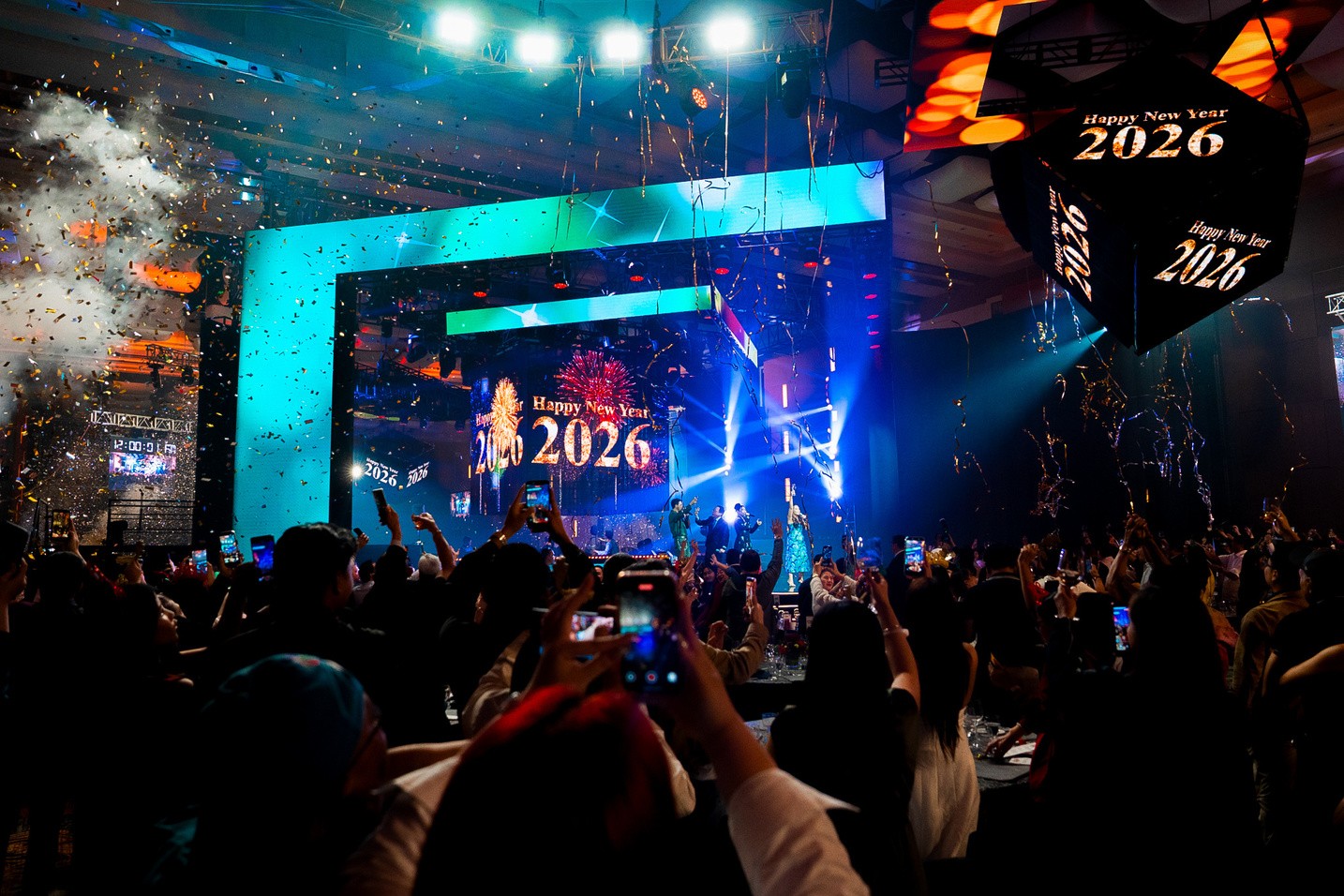
Large-scale LED installations create immersive visual environments that transform event spaces. Pixel-mapped LED panels, interactive light walls, responsive floor tiles, and kinetic light sculptures respond to music, guest movement, or programmed sequences. These installations serve as both entertainment and decor — a room-sized LED environment can replace traditional staging, lighting, and decorations with a single dynamic system that changes throughout the evening.
Holographic Displays and Presentations
Holographic display technology projects 3D images that appear to float in space without special glasses. For corporate events, holographic displays can present products, speakers (appearing remotely as holograms), data visualizations, and branded content in a format that commands attention and communicates innovation. The technology has advanced dramatically — modern holographic fans and mesh screens produce bright, clear images visible in fully lit event spaces.
Social & Content Technology
Category: Social Technology · Difficulty: beginner
Social Media Walls and Live Feeds
Social media aggregation platforms pull in real-time posts tagged with your event hashtag and display them on large screens throughout the venue. Guest photos, tweets, stories, and comments create a live mosaic that builds energy and encourages participation. Modern social walls include content moderation tools that filter inappropriate posts automatically. The displayed content serves as both entertainment (guests love seeing their posts on screen) and social proof that amplifies your event's reach beyond the physical venue.
360-Degree Video Capture Stations
360-degree video stations capture dynamic spinning video clips that are instantly shareable as social media content. Guests step onto a platform while a rotating camera arm captures a slow-motion 360-degree video, often enhanced with effects like confetti, wind machines, or dramatic lighting. The output is a 10-15 second video that's inherently eye-catching in social media feeds. For corporate events, branded overlays and effects ensure every shared video carries your event identity.
RFID and NFC-Enabled Networking
Wristbands or badges embedded with RFID or NFC technology enable tap-to-connect networking — guests tap their badges together to exchange contact information instantly. The same technology can trigger personalized interactions at sponsor booths, track session attendance for gamification, and enable cashless bar service. The data collected provides event organizers with valuable analytics on attendee movement, networking patterns, and engagement levels across the venue.
Live Event Dashboard and Analytics
Real-time event analytics dashboards aggregate data from multiple sources — registration check-ins, social media mentions, gamification participation, photo booth usage, song requests, and audience polling — into a single view. Event organizers can monitor engagement levels across every touchpoint and make real-time adjustments. For sponsors, the dashboard provides live proof of brand exposure. Post-event, the data package demonstrates ROI with concrete engagement metrics rather than subjective impressions.
Branded Mobile Event App
A custom event app serves as the digital hub for every interactive technology at your event — containing the schedule, speaker bios, networking tools, gamification leaderboard, song request interface, photo booth gallery, live polling, and post-event survey. The app consolidates every digital touchpoint into a single platform that lives on guests' phones. Push notifications keep attendees informed of schedule changes, surprise entertainment moments, and leaderboard updates throughout the event.
Expert Pro Tips
Frequently Asked Questions
How much does interactive event entertainment technology cost?
What Wi-Fi and bandwidth requirements do interactive technologies need?
Do guests need to download an app to participate in interactive entertainment?
How do we ensure interactive technology is accessible for all guests?
What happens if the technology fails during the event?
Can interactive entertainment technology be branded to match our event?
See our AI-powered photo booth in action — the most requested interactive entertainment technology at Toronto corporate events.
Explore Our AI Photo Booth
Get StartedTell us about your event and we'll recommend the interactive technology stack that maximizes guest engagement for your audience.
Plan Your Interactive Event
Contact Us