

56 Virtual Team Building Activities That Do Not Feel Like a Meeting
Most remote team building flops because it is a status call in a party hat. These 56 activities are sorted by your exact situation, from a 5-minute call opener to a full hosted virtual event.
Quick Virtual Call Openers (5 to 10 Minutes)
One-Word Energy Check
Go around the grid and have each person name their current energy in a single word, camera on, no explanation. Group size: 3 to 20. Time: 3 minutes. Tools: any video call. It reads the room's real energy before the agenda and gives introverts a two-second, zero-risk way to be present.
Show Us Your View
Everyone points their webcam out a window or shows one thing they can see from their desk. Group size: 3 to 20. Time: 5 minutes. Tools: a webcam. For distributed teams it makes geography tangible and humanizes colleagues who are otherwise just names in a sidebar.
Emoji Week in Three
Everyone drops three emojis in the chat that sum up their week, then a couple of people unpack theirs out loud. Group size: 3 to 50. Time: 4 minutes. Tools: the chat panel. The chat mechanic includes people who hate unmuting, and skimming the wall gives a fast, honest read of team mood.
Virtual Background Reveal
Ask everyone to set a background that captures their mood, dream trip, or weekend, then take turns explaining the choice. Group size: 3 to 25. Time: 6 minutes. Tools: a call with virtual backgrounds. It is native to the medium and gives quiet people a picture to talk about instead of themselves.
Grab It Scavenger Dash
Call out a household item (something red, your oldest mug, a book you love) and everyone races to grab it and show it on camera. Group size: 3 to 25. Time: 6 minutes. Tools: a webcam. The physical dash injects movement into a sedentary call, and the objects people return with start their own side conversations.
This or That Lightning Round
Fire rapid either-or questions (coffee or tea, mountains or beach, Slack or email) and have people react with a thumbs-up or the raise-hand button. Group size: 5 to 40. Time: 4 minutes. Tools: call reactions. The instant clustering sparks laughter and easy small talk with zero prep.
Guess the Desk
Collect anonymous photos of everyone's workspace ahead of time, show them one at a time, and have the team guess whose is whose. Group size: 4 to 15. Time: 8 minutes. Tools: submitted photos and screen share. The guessing reveals personality through environment and gives a peek into real lives that calls usually hide.
One Small Win
Go around and have each person share one small non-work win from the past week, from a good meal to a personal record. Group size: 3 to 20. Time: 6 minutes. Tools: none. Naming small wins counters the isolation of remote work and gives teammates real things to follow up on later.
Would You Rather
Pose a fun dilemma (would you rather never sleep or never eat) and let people defend their pick in one sentence. Group size: 4 to 25. Time: 5 minutes. Tools: none. The mild absurdity lowers the stakes, and the tiny debate reveals how people reason without anyone risking a wrong answer.
Rose, Thorn, Bud
Each person shares a rose (a recent win), a thorn (a current snag), and a bud (something they are looking forward to). Group size: 3 to 15. Time: 7 minutes. Tools: none. It doubles as a lightweight status read and a mood check, giving managers early signal on blockers without a formal one-on-one.
Full Virtual Team Building Events (Hosted, 45 to 120 Minutes)
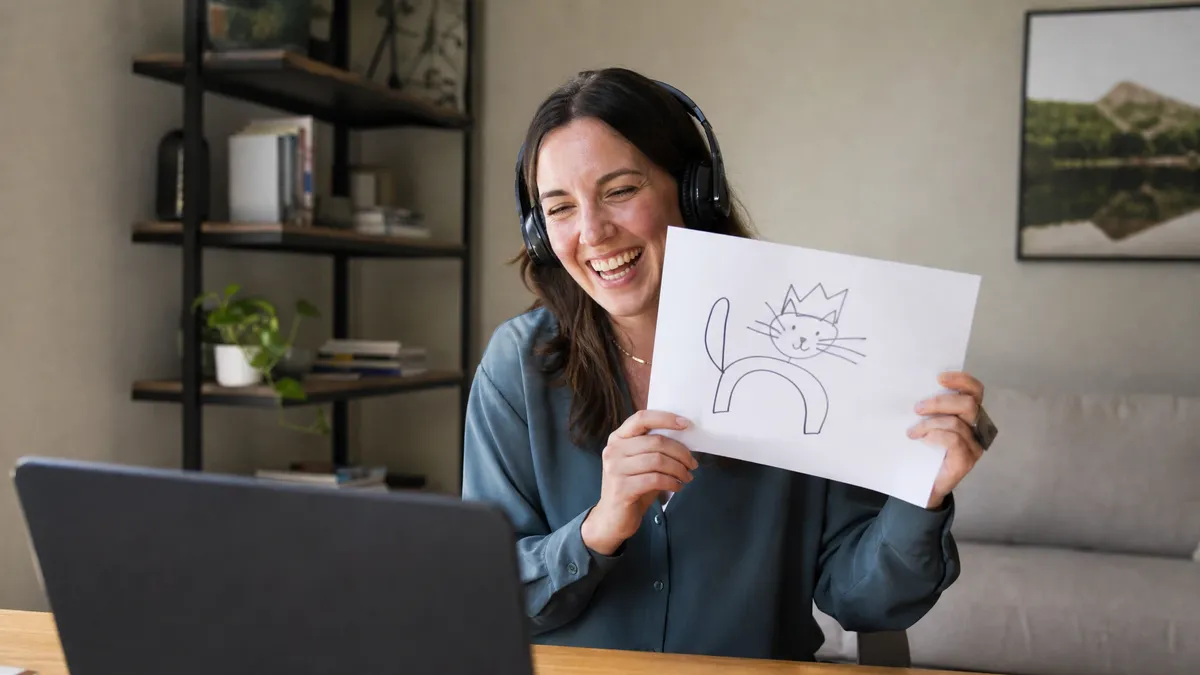
Hosted Virtual Trivia Night
A professional host runs a multi-round quiz across general knowledge, pop culture, and company trivia, with teams answering from their phones and a live leaderboard on the shared screen. Group size: 15 to 500. Time: 45 to 60 minutes. Tools: hosted production and a quiz platform. A skilled host does what a slide deck never can, and we have run exactly this with Adam Growe, longtime host of Cash Cab Canada, for large international corporate audiences.
Live Interactive Game Show
The whole team splits into groups for buzzer rounds, majority-rules audience votes, and rapid challenges, all run by a host with broadcast-style graphics on screen. Group size: 20 to 2,000. Time: 45 to 90 minutes. Tools: a full hosted virtual production. It is the one format that holds hundreds of remote people at once. We run this as Majority Rules and other live game shows, a format we launched to a room of about 300 planners and now tour across nine cities.
Virtual Escape Room
Teams work through a themed digital puzzle room under a countdown, solving clues in breakout groups and racing other teams to escape. Group size: 6 to 60 in teams of 4 to 6. Time: 60 to 90 minutes. Tools: an escape room platform and breakout rooms. The shared deadline forces real communication and splits the work naturally across a remote team.
Collaborative Songwriting Session
Guided by professional musicians over video, the whole team writes, records, and produces an original song together, with every person contributing regardless of musical background. Group size: 10 to 60. Time: 90 to 120 minutes. Tools: a facilitated remote setup. Creating something real together produces bonds a generic exercise never will. We run this as our Song Co-Lab experience. We ran it for Spotify, who wrote and recorded Stand By Me, and they called it transformational.
Virtual Murder Mystery
Everyone takes a character role and works the group through clues, alibis, and interrogations to unmask the culprit across a hosted story. Group size: 8 to 40. Time: 60 to 90 minutes. Tools: a host or scripted kit and video call. Assigned roles give shy people a character to hide behind, which frees them to play far more than they would as themselves.
Online Cooking or Mixology Class
A chef or bartender leads the team through making the same dish or cocktail live, with ingredient kits shipped ahead to each person. Group size: 6 to 40. Time: 60 to 90 minutes. Tools: a live instructor and pre-shipped kits. Everyone doing the same hands-on thing at once creates a shared experience and a genuine reason to unmute and laugh.
Virtual Talent Show
Team members sign up to perform a two-minute act, from a song to a magic trick to a weird skill, hosted like a real variety show. Group size: 10 to 60. Time: 60 minutes. Tools: a host and screen share. Watching colleagues do the thing they are secretly great at reshapes how the team sees each other for months.
Themed Costume Quiz Night
Combine a dress-up theme (decades, movie characters, bad tourist) with a hosted trivia round, scoring both answers and best costume. Group size: 10 to 100. Time: 60 to 75 minutes. Tools: a host and quiz platform. The costume layer breaks the video-call sameness instantly and gives even quiet players a way to stand out without speaking.
Virtual Field Day
Teams rotate through a series of at-home mini challenges (paper-ball toss, sock-drawer sort race, balance-a-book relay) scored on a shared board. Group size: 12 to 80. Time: 60 minutes. Tools: a host, a scoreboard, and household items. The silliness and physical movement break the seated-call fatigue that kills most remote events.
Global All-Hands Game Segment
Drop a hosted 20-minute game into a large all-hands, splitting a distributed company into team-based rounds with a live leaderboard. Group size: 50 to 2,000. Time: 20 to 30 minutes. Tools: a hosted segment inside your webinar platform. It turns a passive broadcast into a participation moment and gives a global workforce one shared thing to talk about after.
Async Team Building Challenges (No Meeting Required)
Photo of the Day Thread
Post a daily or weekly prompt in a channel (your workspace, your view, something orange) and let people drop photos on their own time. Group size: any. Time: ongoing, seconds to reply. Tools: a chat channel. It builds ambient connection across time zones without a single calendar invite, which is the whole point of async.
Guess Who Baby Photos
Collect childhood photos privately, post them in a numbered thread, and let people guess in the comments over a few days. Group size: 5 to 50. Time: async over 2 to 3 days. Tools: a channel and DMs to collect photos. The slow reveal keeps a low hum of fun going all week and reliably surprises people.
Async Trivia Ladder
Post one trivia question a day, track a running leaderboard in a pinned message, and crown a weekly winner. Group size: 5 to 100. Time: async, one question a day. Tools: a channel or a quiz bot. The daily cadence and standings create low-stakes competition that pulls people back without eating meeting time.
Collaborative Playlist Build
Start a shared playlist on a theme (focus music, guilty pleasures, songs from your hometown) and let the whole team add tracks. Group size: any. Time: async, ongoing. Tools: a shared music service. The result is a living artifact that reveals taste and sparks side conversations every time a track lands.
Virtual Book or Show Club
Pick a short book, article, or series and run the discussion entirely in a thread with a couple of prompts, no live meeting. Group size: 4 to 30. Time: async over a week or two. Tools: a channel. Written discussion suits introverts and non-native English speakers who think before they talk, which a live call rushes past.
Kudos Wall
Run a channel where anyone can post specific, public thanks to a teammate for something they actually did that week. Group size: any. Time: async, ongoing. Tools: a dedicated channel. Making recognition visible and peer-driven builds culture on the days nothing is scheduled, which is most days for a remote team.
Two Truths and a Lie Thread
Each week one person posts three claims about themselves and the team guesses the lie in the comments. Group size: 4 to 40. Time: async over a couple of days. Tools: a channel. The classic works even better async because people have time to craft a genuinely sneaky lie.
Distributed Step or Fitness Challenge
Set a team goal (a combined distance, a daily-move streak) and track progress in a shared sheet or app over a couple of weeks. Group size: any. Time: async over 1 to 4 weeks. Tools: a tracker or fitness app. A shared goal that respects everyone's own schedule builds a team habit without forcing anyone onto a call.
Async Idea Jam
Pose one open question (how would you spend a surprise team budget, what should we stop doing) and collect answers in a doc over a few days. Group size: 5 to 100. Time: async over 3 to 5 days. Tools: a shared doc or board. It gathers real input from people who never speak up on calls and doubles as a genuine source of good ideas.
Virtual Games With Tools You Already Have (Whiteboards, Polls, Docs)
Live Poll Icebreaker
Project a live poll and ask fun questions (name the office plant, best decade for music) with results updating as people vote from their phones. Group size: 5 to 1,000. Time: 5 to 10 minutes. Tools: a polling app and screen share. The shared screen turns a passive audience active, and the live results reliably get a laugh.
Whiteboard Pictionary
Split into teams, one person draws a prompt on a shared whiteboard while their team races the clock and the other team to guess. Group size: 6 to 30. Time: 15 to 20 minutes. Tools: a collaborative whiteboard. Bad digital drawing is even funnier than the analog version, and the shared canvas makes the game legible to everyone at once.
Collaborative Mind Map Story
Everyone adds to a single shared canvas, building an absurd branching story or a mock company org chart together in real time. Group size: 4 to 25. Time: 12 to 18 minutes. Tools: a whiteboard like Miro or FigJam. Watching a chaotic shared artifact grow in real time creates the kind of inside joke remote teams badly lack.
Spreadsheet Battleship
Two players use a shared spreadsheet grid to play Battleship, calling coordinates while teammates strategize in chat. Group size: 4 to 16. Time: 15 minutes. Tools: a shared spreadsheet. Turning a work tool into a game surprises people and proves you do not need special software to have fun online.
Quiz-App Trivia Race
Run a timed trivia round on a quiz app where people answer from their phones and a live leaderboard tracks the scramble for first. Group size: 5 to 100. Time: 10 to 15 minutes. Tools: a quiz app. The competition and live scoring inject urgency into a flat call and scale to large all-hands without anyone speaking up.
Chat-Window Story Chain
One person types the first line of a story in chat and each person adds a single sentence in turn, building an escalating tale. Group size: 4 to 20. Time: 8 minutes. Tools: the chat panel. Building one story together is a shared creative act, and the chat mechanic includes people who never unmute.
Sticky-Note Retro Game
Run a retro or values exercise on a shared board where everyone drops anonymous sticky notes, then cluster and vote with dots. Group size: 5 to 30. Time: 20 to 30 minutes. Tools: a whiteboard with voting. Anonymity surfaces honest input a live round-table suppresses, and dot-voting gives a fast, visible read on what the team actually cares about.
Emoji Movie Guess
Post a movie, song, or company inside-joke spelled out only in emojis and let the team race to guess in chat. Group size: 5 to 50. Time: 10 minutes. Tools: the chat panel. It is instant, needs zero setup, and the clever puzzles get screenshotted and passed around after.
Breakout Room Speed Meet
Auto-shuffle people into two-person breakout rooms for 90 seconds on a prompt, then reshuffle, so everyone meets several new people fast. Group size: 12 to 100. Time: 15 to 20 minutes. Tools: breakout rooms and a timer. The rotation guarantees a high number of one-on-one intros, which is exactly what a big, disconnected team needs.
Shared-Doc Caption Contest
Drop a funny or odd image into a shared doc and have everyone write a caption below it, then vote up the best one. Group size: 5 to 50. Time: 10 minutes, or async. Tools: a shared doc. It rewards the quietly funny people who never dominate a call, and it runs live or async with equal ease.
Hybrid Formats (Room and Remote on the Same Leaderboard)
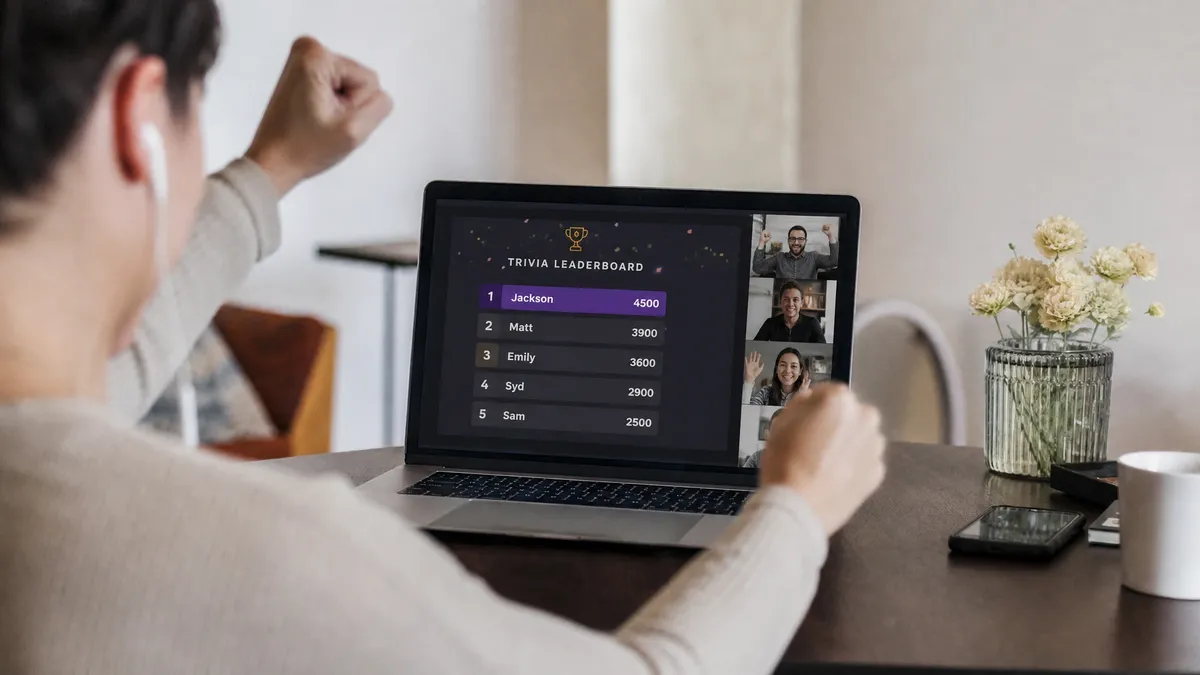
Hybrid Game Show
A host runs the game live in the room while remote players join the same rounds and leaderboard from their phones, so everyone competes as one audience. Group size: 30 to 2,000 combined. Time: 45 to 90 minutes. Tools: a hosted production with a phone-based platform. It solves the core hybrid problem: remote people watching the room have a bad time, but remote people playing against the room have a great one. This is what our interactive game show format is built for.
Mixed In-Room and Remote Teams
Deliberately build each team from a blend of in-room and remote people, so they must coordinate across the divide to win. Group size: 20 to 200. Time: varies by game. Tools: a shared board or app per team. Forcing collaboration across the divide is the point. It stops the room and the remote crowd from splitting into two separate events.
Shared-Screen Trivia
Put the questions and live leaderboard on the big screen in the room and on every remote person's device at once, answered from phones. Group size: 20 to 500. Time: 30 to 45 minutes. Tools: a quiz platform and a room screen. One synchronized surface means nobody is second-class, and the leaderboard is the single thing everyone is watching.
Remote MC Co-Host
Pair an in-room host with a remote co-host whose job is to represent, hype, and route questions from the online audience. Group size: any hybrid group. Time: full event. Tools: two hosts and a video link. A dedicated voice for the remote crowd stops them from becoming silent spectators, which is the default failure mode of hybrid events.
Parallel Escape Rooms
Run the same escape room in the physical space and online, with in-room and remote teams racing the same clock on the same puzzles. Group size: 12 to 80. Time: 60 to 90 minutes. Tools: matched physical and digital rooms. Identical challenges and a shared timer put both groups on genuinely equal footing, so the win feels fair.
Hybrid Show and Tell
Each person, in-room or remote, gets 60 seconds to show one meaningful object to a single shared camera feed everyone watches. Group size: 8 to 40. Time: 15 to 25 minutes. Tools: a shared feed and a room camera. Routing everyone through one feed levels the field so a remote person's turn feels identical to an in-room one.
Live Poll Debate
Pose a fun, divisive question, take a live poll from both the room and remote devices, then have volunteers from each side argue it out. Group size: 20 to 500. Time: 15 minutes. Tools: a polling app and two mics. The shared poll unites the split audience around one result, and the debate gives both room and remote people a way to jump in.
Synchronized Toast or Reveal
End the event with a moment everyone hits together, an awards reveal, a countdown, or a toast with drinks shipped to remote staff in advance. Group size: any. Time: 10 minutes. Tools: a shared feed and pre-shipped kits. A single synchronized beat gives a fragmented hybrid group one shared memory to close on, which is what people actually remember.
Platform-Agnostic Rules That Make Any Virtual Activity Work
Design Participation, Not Presentation
Pick activities where people do something, not watch something. Why it matters: the entire reason remote team building feels flat is that it copies the webinar format, where a few people talk and everyone else stares. Every game here is built so the default action is to participate, because people are tired of being talked at.
Match Length to Energy, Not to a Calendar Slot
Book the time the activity can actually hold, then stop. Why it matters: bad team building is booked to fill a 90-minute block. Good team building runs exactly as long as it stays fun and ends on a high. A crisp 25-minute game beats a draggy hour every time.
Give Quiet People an Easy Way In
Every activity should have a low-exposure entry point. Why it matters: a game where a one-word answer or a chat emoji counts as a full turn includes introverts and non-native English speakers, while one that demands solo improv in front of the grid quietly excludes them.
Name the Why Out Loud
Say in one sentence why you are running this before you start. Why it matters: most of the eye-rolling at virtual team building comes from people who think it is pointless. A quick honest frame, like helping a new team learn each other's names, removes most of the resistance instantly.
Make Cameras Optional but Rewarded
Never mandate cameras. Design so being on-camera is more fun, not required. Why it matters: forcing cameras on breeds resentment and Zoom fatigue, but a game like a scavenger dash or costume round makes people want to turn on their camera because that is where the fun is.
Test the Tech Before It Counts
Run a throwaway round to shake out audio, screen share, and the app before anything is scored. Why it matters: the fastest way to kill remote energy is five minutes of who-can-hear-me at the start. A low-stakes practice round doubles as the tech check.
Offer an Async Option Where You Can
For distributed teams across time zones, default to async unless the activity truly needs to be live. Why it matters: a 9am Toronto call is 10pm in Singapore. Async challenges respect that reality and often get broader participation than a call half the team resents attending.
Scale the Format to the Group Size
Past roughly 30 people online, DIY breaks down and you need a hosted format with a pro, a platform, and a leaderboard. Why it matters: a facilitator juggling 200 remote players from a laptop cannot hold the room. That threshold is exactly where a hosted virtual show earns its keep.
Expert Pro Tips
Frequently Asked Questions
What are good virtual team building activities?
How do you make virtual team building not awkward?
What virtual games work for hybrid teams?
What are the best online team building games for large groups?
Can remote team building be done without a live meeting?
How long should a virtual team building activity last?
What tools do you need for virtual team building games?
Planning a Team Building Day?
When your group is too big for a DIY call, a hosted game show keeps 30 to 2,000 remote and hybrid players genuinely engaged.
See our interactive game shows and virtual eventsTry Song CoLab Team Building
Your team writes, records and performs an original song together, guided by professional songwriters and musicians.
Explore Song CoLab