

Virtual Escape Room for Team Building
How they actually work, the three formats compared, DIY builds you can run this week, and the debrief that turns a puzzle night into real teamwork.
How a Virtual Escape Room Actually Works
The core loop: story, clues, locks, timer
Every virtual escape room is the same skeleton. A story gives you a reason to care, clues are scattered across images or documents, locks gate your progress, and a countdown makes it matter. Solve puzzles, unlock the next room, beat the clock. Strip away the theme and it is a series of gated puzzles racing a timer.
Everyone plays from their own screen
Players join a video call and open a shared game window, usually a website or a Google Form. Nobody is in the same room, which is the whole point. The screen is the shared table, and the video call is how you argue about the answer.
Puzzles are inputs, not physical objects
Instead of unlocking a real padlock, you type a code into a box. A wrong code bounces, a right code advances the story. Ciphers, riddles, image spotting, math, word play, and pattern matching all become something you can type or click.
A host or the software runs the clock
Hosted rooms have a live game master who drips hints and keeps the energy up. Self-run rooms let the software track time and unlock hints automatically. Hosted feels like an event, self-run feels like a challenge you assigned.
Hints exist so nobody rage-quits
Good rooms build in a hint system, either a live host or a hint button that costs you time. Hints are not cheating, they are pacing. A team stuck for fifteen minutes on one lock is not bonding, it is quietly resenting the puzzle.
The escape is a shared win, and that is the payoff
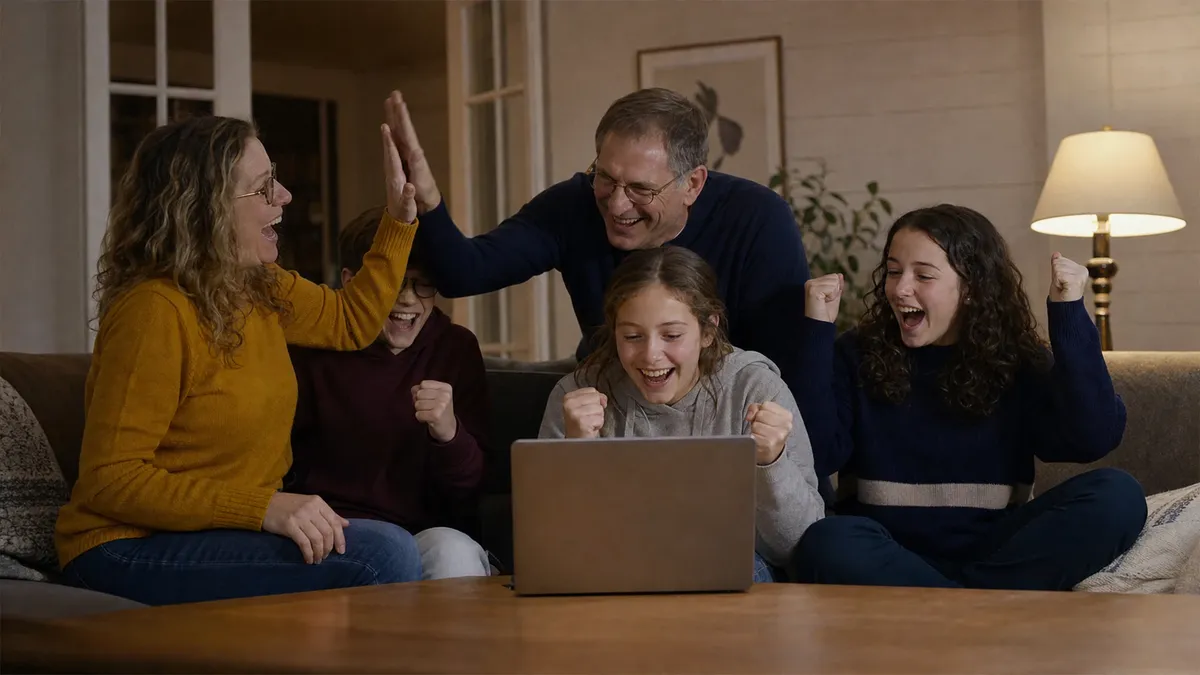
The screen flips to a victory message, the timer freezes, and everyone exhales at once. That shared moment of relief is the actual product. You are not buying puzzles, you are buying the story people tell at the next standup.
The Three Formats, Compared

Video-guided (a live host runs it)
A game master streams live, plays a character, controls what you see, and reacts to your team in real time. This is the most immersive and the most expensive. Best for a milestone, a leadership offsite, or any group that will check out the second energy dips.
App or web-based (self-run software)
You buy a link, everyone logs in, the software handles clues, locks, hints, and the timer. No host, no scheduling around someone else's calendar. Cheapest per-head and endlessly repeatable, which makes it ideal for recurring team nights.
DIY (you build it in slides or forms)
You author the whole thing yourself in Google Slides, Google Forms, or a Genially template. Free except your time. Total control over theme, difficulty, and inside jokes. The tradeoff is real build hours, so weigh that before you commit a Friday to it.
How to choose in one question
Ask what you are optimizing for. High-stakes moment and budget exists, go video-guided. Cheap, fast, repeatable, go app-based. You want it to feel personal to your team and have a builder on staff, go DIY. There is no wrong answer, only a wrong match.
What every format needs to work
A stable video call, a clear start signal, someone assigned to share their screen or read the puzzle aloud, and a hard end time. Format is a preference. Those four things are non-negotiable no matter which route you pick.
How to Run One for Your Team
Keep teams to four to six people
This is the single most important number in this guide. Four to six is the range where everyone has a job and nobody hides. Below four, one weak puzzle stalls the whole group. Above six, half the room goes silent and starts checking Slack.
Split a big group into competing rooms
Large groups are a strength, not a problem. Break into pods of five, drop each pod in its own breakout room and its own game instance, then post finish times publicly. The competition does more for energy than any puzzle in the game.
Assign light roles so nobody freezes
Name a timekeeper, a note-taker who tracks solved and unsolved clues, and a screen-sharer. Roles are not bureaucracy, they are permission. People who know their job jump in faster than people waiting to be told what to do.
Budget sixty to ninety minutes, not thirty
Plan five to ten minutes for tech and instructions, forty-five to sixty for the game itself, and fifteen for the debrief. The debrief is not optional padding. It is where a fun hour becomes something people carry back to work.
Do a two-minute tech check first
Confirm everyone can hear, see the shared screen, and access the game link before the clock starts. Thirty seconds of setup saved is twenty minutes of chaos avoided. Tech failure in minute one poisons the whole session.
Let the team struggle before you hint
Productive struggle is the point. Do not rescue a stuck team in the first two minutes. Give a nudge only when frustration turns to silence, because silence means they have given up, and a given-up team learns nothing.
Always end with a real debrief
The moment they escape, ask what worked and who did what. This is where the game stops being a game and starts being a mirror for how the team actually operates under pressure. Skip it and you booked a distraction, not team building.
DIY Virtual Escape Room Ideas You Can Build
The locked Google Form vault
Build each puzzle as a Form question with response validation. Type the wrong code and the Form refuses to advance, type the right one and it unlocks the next section. It is the cheapest working lock mechanic on the internet, and it is free.
The Google Slides mystery house
One slide per room, clickable hotspots that jump to other slides, and a wrong click that dead-ends into a locked slide. Publish it, share the link, and your team clicks their way through a house you built in an afternoon.
The hidden-image cipher
Drop a code into an image: numbers in a painting, letters spelling a word down a bookshelf, a phone number on a business card in the background. Players hunt the picture and type what they find. Easy to build, genuinely satisfying to crack.
The reversed and rotated text clue
Flip a word backward, mirror it, or rotate it 180 degrees so it only reads correctly held up to a webcam. Zero code, and it forces the team to physically collaborate, which is exactly the behavior you are trying to spark.
The color-and-symbol combination lock
Scatter colored objects and symbols across slides, then require a sequence built from what players notice. Red key, blue door, green book becomes a code only a team that pooled its observations can enter. Rewards paying attention together.
The audio or emoji riddle
Hide the next clue in a short audio file or a string of emoji that spells a phrase. A film title in emoji, a password whispered in a voice memo. Cheap to make, and it breaks up a session that is getting too text-heavy.
The invisible-ink white text trick
Type a clue in white font on a white background so it only appears when players highlight the area with their cursor. Old trick, still works, and the gasp when someone finds it is worth the ten seconds it takes to build.
The final meta-puzzle that needs every answer
Make the last lock require a piece from each earlier puzzle, so no single player can finish alone. This is the difference between a puzzle set and team building. Design the ending so the team can only escape together.
Themes That Land on a Screen
Heist and vault break-in
Steal the diamond, crack the safe, beat the security system before the guards return. The heist is the most reliable escape room theme because the goal is obvious and the timer feels earned. Hard to get wrong.
Detective and murder mystery
A crime, a set of suspects, clues that narrow the field until the team names the culprit. It rewards close reading and debate, and it pairs naturally with a follow-up. See our murder mystery game guide for the full format.
Spy and secret agent
Decode the transmission, disarm the device, extract the asset. Spy themes give you a built-in excuse for ciphers and codes, which are the puzzles that translate best to a screen. Lean into the gadgets.
Escape the haunted or abandoned place
A locked mansion, a derelict ship, a sealed lab. Atmosphere does a lot of the work here, and creepy themes make players lean into their cameras. Great for October, a little much for a Tuesday sales sync.
Time travel and fix the timeline
Jump between eras, gather artifacts, repair history before it collapses. Time travel lets you swing puzzle styles wildly from room to room without the tone breaking, which keeps a longer session fresh.
Escape the deadline (an office parody)
Ship the product, find the missing file, unlock the boardroom before the launch. An office-themed room full of your own jargon and inside jokes gets more laughs than any generic pirate ship. Familiar beats exotic when it is your team.
Match the theme to the moment
A new-hire cohort wants light and welcoming. A leadership team can take something cerebral. A worn-out group after a hard quarter wants silly, not tense. The theme is not decoration, it is a signal about how the hour is going to feel.
Debrief Questions That Do the Real Work
How did we decide who did what?
Roles in the game were assigned or they emerged, and either way that mirrors how work gets divided on real projects. Ask it out loud and watch people recognize their own default patterns. That recognition is the entire point of the exercise.
What did we do when we got stuck?
Stuck is where character shows. Did the team go quiet, get louder, ask for a hint, or push through together? How a group handles a wall in a game is a preview of how it handles one on Monday. Name the pattern.
Whose idea cracked it, and did we listen fast enough?
Often the winning insight came from the quietest person, and the team took too long to hear it. That is a gift-wrapped lesson about who gets listened to and who gets talked over. Surface it gently and it lands hard.
What did we assume that turned out wrong?
Escape rooms punish bad assumptions constantly, and so do projects. Ask which dead end came from a group belief nobody questioned. It is a low-stakes way to practice challenging a shared assumption before it costs you something real.
How did we communicate across screens?
Remote teams live or die on communication habits, and the game just stress-tested yours. Did people talk over each other, wait too long, share screens smoothly? The friction you felt here is the friction you feel every day, made visible.
What is one thing we would do differently?
End forward, not backward. One concrete change the team would make if it ran the room again is usually a change worth making at work too. Close on that and people leave with something actionable instead of just a nice memory.
Common Failure Modes to Avoid
Teams too big to participate
Twelve people staring at one shared screen is not a team, it is an audience. Three or four of them solve everything and the rest spectate. Cap teams at six and split the rest into competing pods. This is the mistake we see most.
Booking it to fill a calendar slot
Bad team building is scheduled to check a box. Good team building is designed to change something. If your only goal is an hour of activity, people smell it instantly and disengage. Decide what you actually want out of the hour first.
Skipping the debrief entirely
Escape, cheer, log off. That is a fun game and zero team building. Without the fifteen-minute conversation about how the team worked, none of the lesson sticks. The debrief is not the boring part, it is the entire reason to run this.
Puzzles too hard or too easy
Too hard and the team stalls, frustration wins, and everyone remembers being stuck. Too easy and there is no shared victory to bond over. Aim for a room that is hard enough to sweat but beatable with real teamwork, then test it first.
No plan for the person who hates games
Every group has one skeptic who did not want to be there. Do not spotlight them or force participation, that guarantees a bad time. A tightly scoped role and a low-pressure entry point pulls most of them in on their own terms.
Ignoring the tech until it breaks
Someone cannot hear, the link will not load, a camera is off, and now minute one is a support ticket. Test audio, video, and access before the timer starts. Nothing kills the mood faster than five minutes of can-you-hear-me.
Expert Pro Tips
Frequently Asked Questions
How does a virtual escape room work?
Are virtual escape rooms good for team building?
How many people can do a virtual escape room?
How long does a virtual escape room take?
Can you build your own virtual escape room for free?
When is a virtual escape room better than an in-person one?
What makes a virtual escape room fail?
Planning a Team Building Day?
Want the participation without building it yourself? We design and run live interactive experiences for teams from a dozen people to a couple thousand.
See our interactive team experiencesTry Song CoLab Team Building
Your team writes, records and performs an original song together, guided by professional songwriters and musicians.
Explore Song CoLab